> For the complete documentation index, see [llms.txt](https://penida.gitbook.io/big-digital-download/llms.txt). Markdown versions of documentation pages are available by appending `.md` to page URLs; this page is available as [Markdown](https://penida.gitbook.io/big-digital-download/most-asked-questions/how-to-make-this-app-works-with-multilanguage.md).
# How to make this app works with multilanguage?
{% hint style="info" %}
The app will automatically pick up the language of the customer and display the email contents in that language/
{% endhint %}
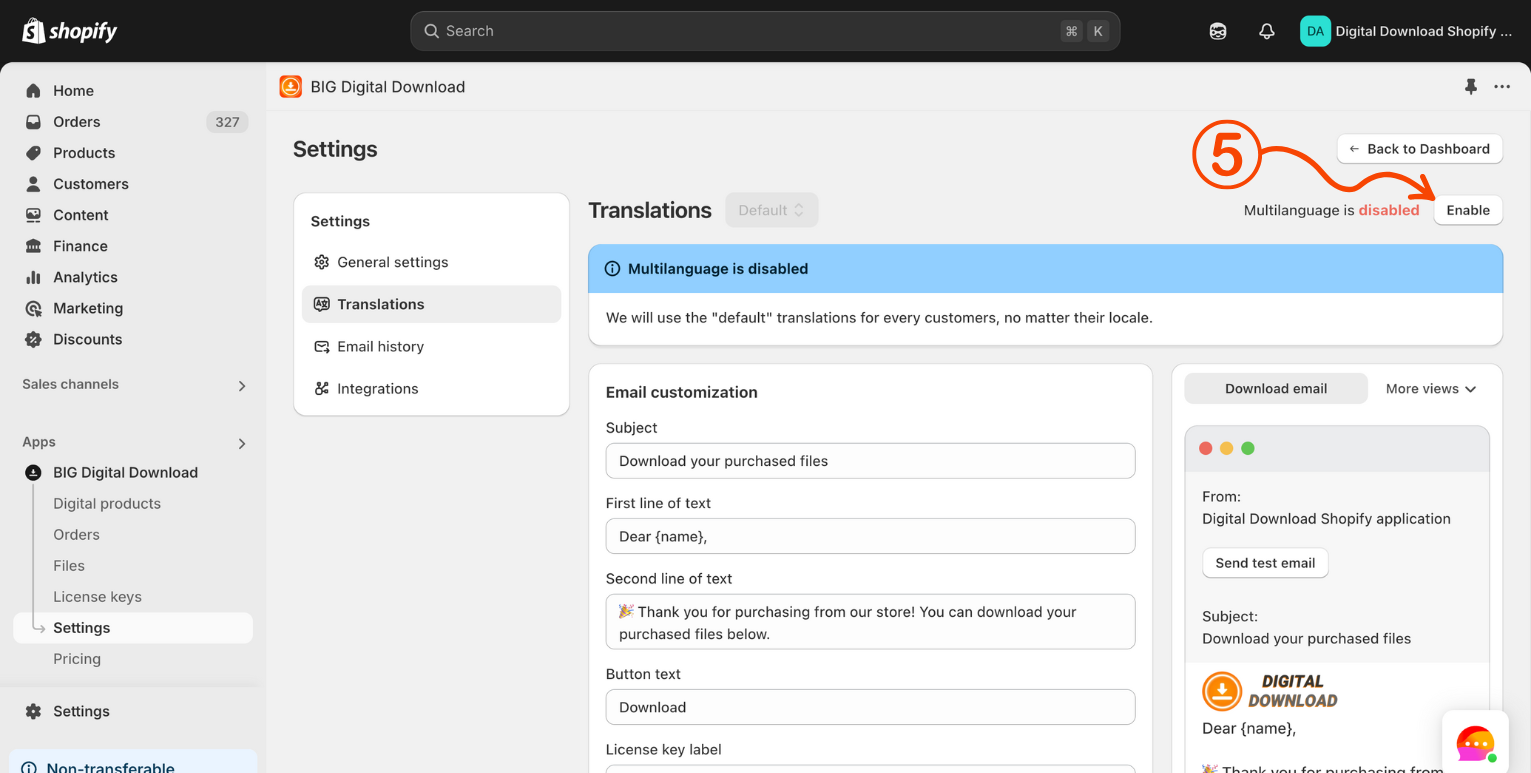
Steps to enable multi language translation:
1. In your Shopify admin dashboard look at the left hand panel and click on **Apps.**
2. Click on **Big Digital Download.**
3. Click on **Settings.**
4. Click on **Translation**
5. Click on **Enable**