> For the complete documentation index, see [llms.txt](https://penida.gitbook.io/cowlendar-help/llms.txt). Markdown versions of documentation pages are available by appending `.md` to page URLs; this page is available as [Markdown](https://penida.gitbook.io/cowlendar-help/how-to.../how-customers-can-manage-their-bookings-from-shopify.md).
# How customers can manage their bookings from Shopify
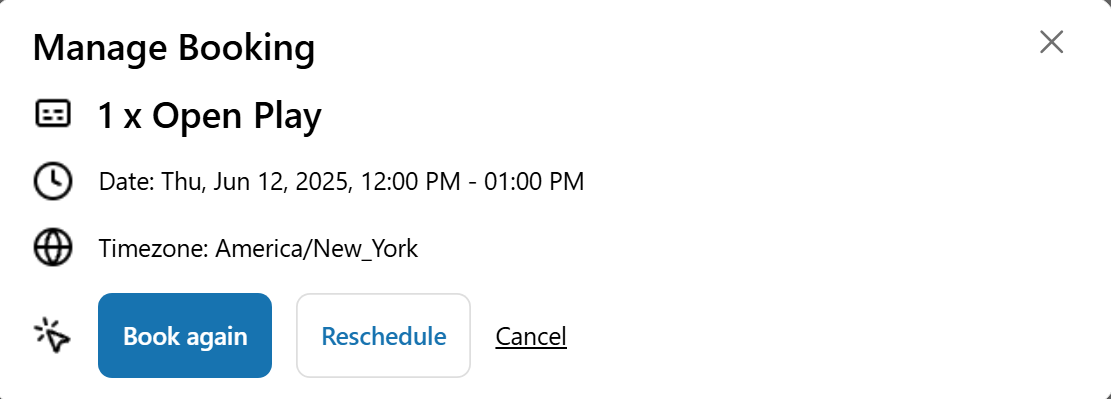
You can now give your customers the ability to **view, reschedule, or book again** directly from their **Customer Account page**. This improves the booking experience by making it easier and more accessible for clients to manage their **bookings** from the order details page.
This feature works exclusively with the **new Shopify customer accounts** experience and must be manually added using the **theme editor**
### Step-by-step: How to add the Manage Bookings block
1. Go into your **Shopify admin dashabord**
2. On the left hand panel Click on **Online Store** (right hand if you are on a screen larger than 15inches)
3. Click on **themes**
4. In the center panel click on **Customize** to go into the theme editor
.png?alt=media\&token=e7d27404-8072-4438-975b-edcd25c2696b)
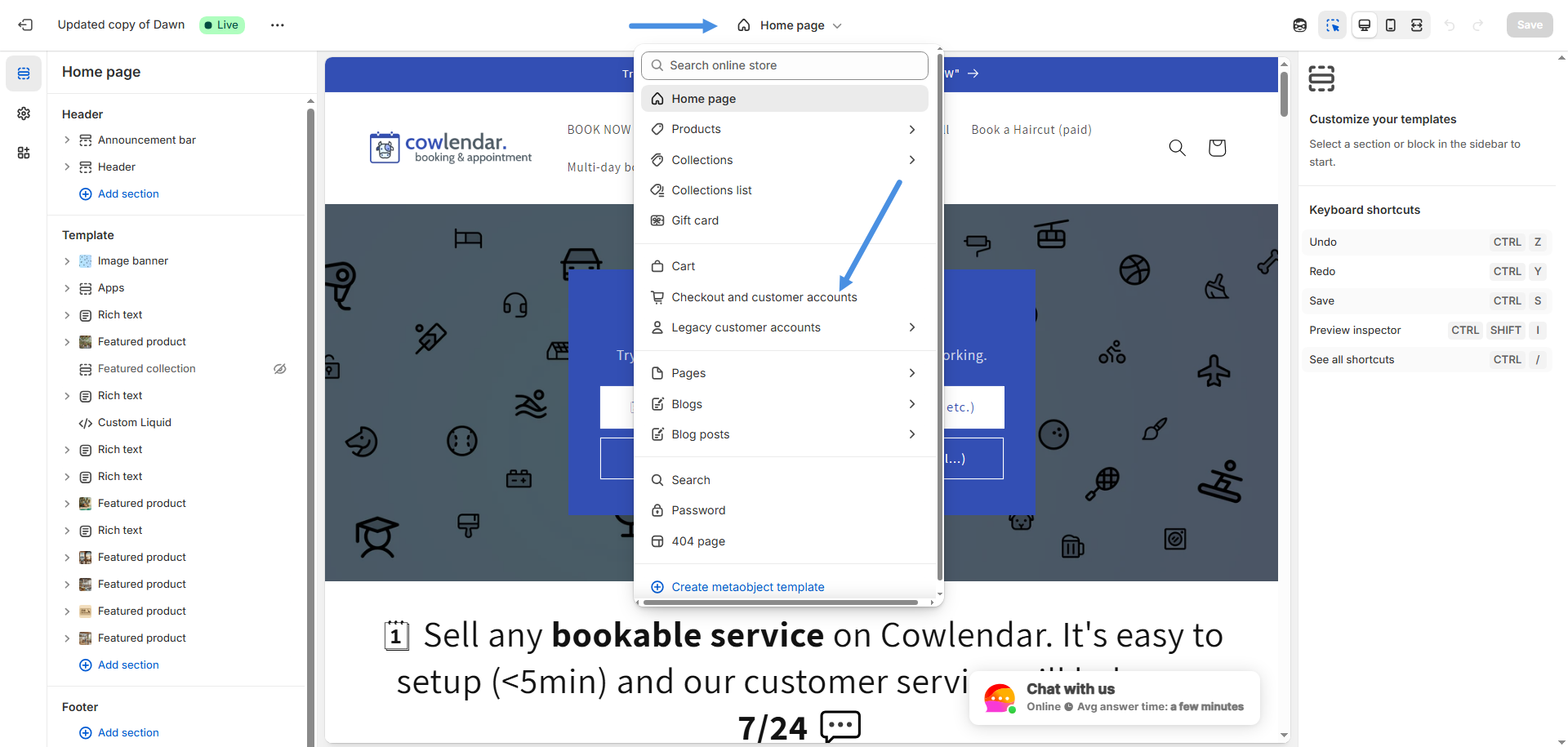
5. In the theme editor, click on the **middle top dropdown** and select **Checkout and customer accounts**
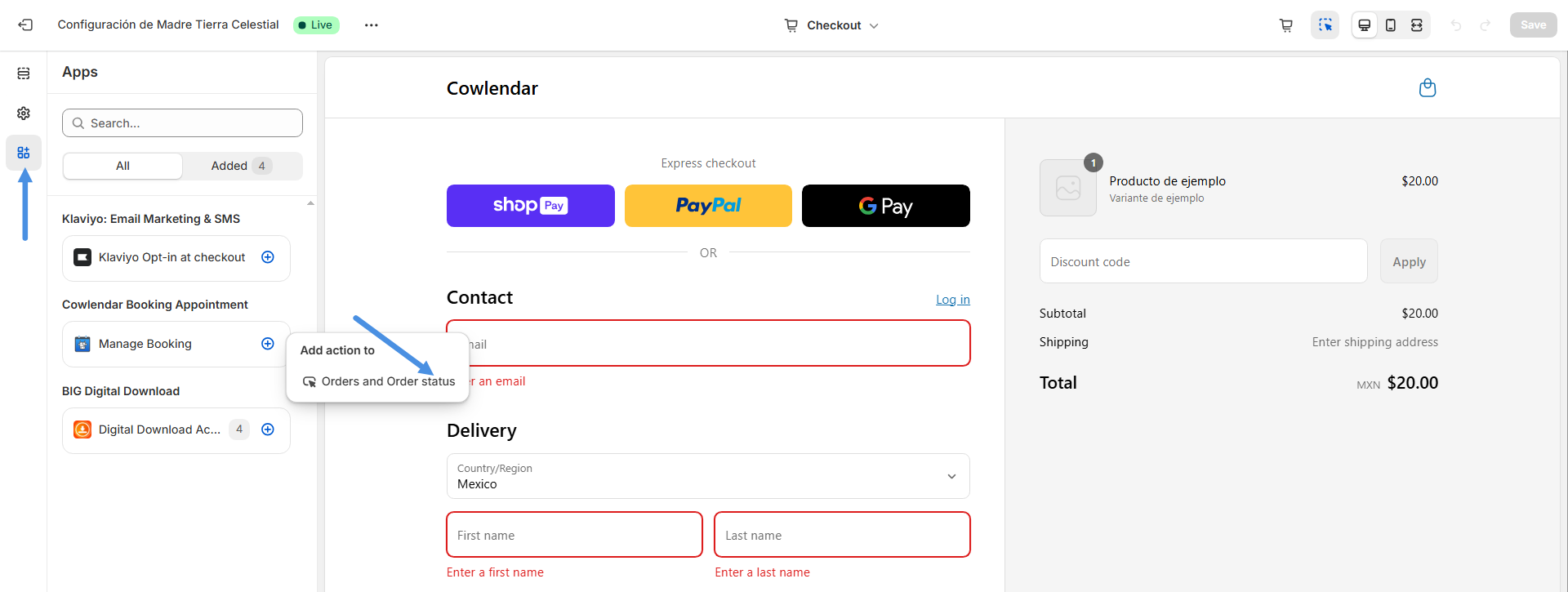
6. Look at the left tab and click on the **Apps** section which would be the **last tab.**
7. Find **Manage Bookings** and click the **“+”** icon to add the block
8. Click on **Order and Order status** under this block
9. Finally, click **Save** before exiting the theme editor.
{% hint style="info" %}
Now your customers will be able to view their booking, reschedule, or book again directly from the Order status page in their customer account. This improves the overall booking experience and gives your clients more control without needing to contact you manually
{% endhint %}