> For the complete documentation index, see [llms.txt](https://penida.gitbook.io/cowlendar-help/llms.txt). Markdown versions of documentation pages are available by appending `.md` to page URLs; this page is available as [Markdown](https://penida.gitbook.io/cowlendar-help/how-to.../can-i-add-questions-to-the-booking-form.md).
# Can I add questions to the booking form?
{% hint style="success" %}
Yess you totally can! This is perfect if you want to ask custom questions and alongside the booking experience.
{% endhint %}
{% hint style="warning" %}
**This is a Premium feature of Cowlendar.** You need to upgrade your plan if you want to use this feature and you are a free user of Cowlendar.
{% endhint %}
### Here are some examples of questions you can add to the booking form
* Is your customer allergic to peanuts?
* How many guests are coming with your customer?
* Where does your customer need to be picked up?What are the names of each person in this reservation?
* Do you like dogs or cats?
### **Steps to add a custom question to your booking form**
1. In your Shopify admin dashboard look at the left panel and click on the **Apps.**
2. Click on **Cowlendar.**
3. Click on **My Service.**
4. Click **Edit** on the service you want to add a custom question to.
5. Click on the **Advanced tab.**
6. Scroll down until you see the **Custom questions section.**
7. Click on **Add a question.**
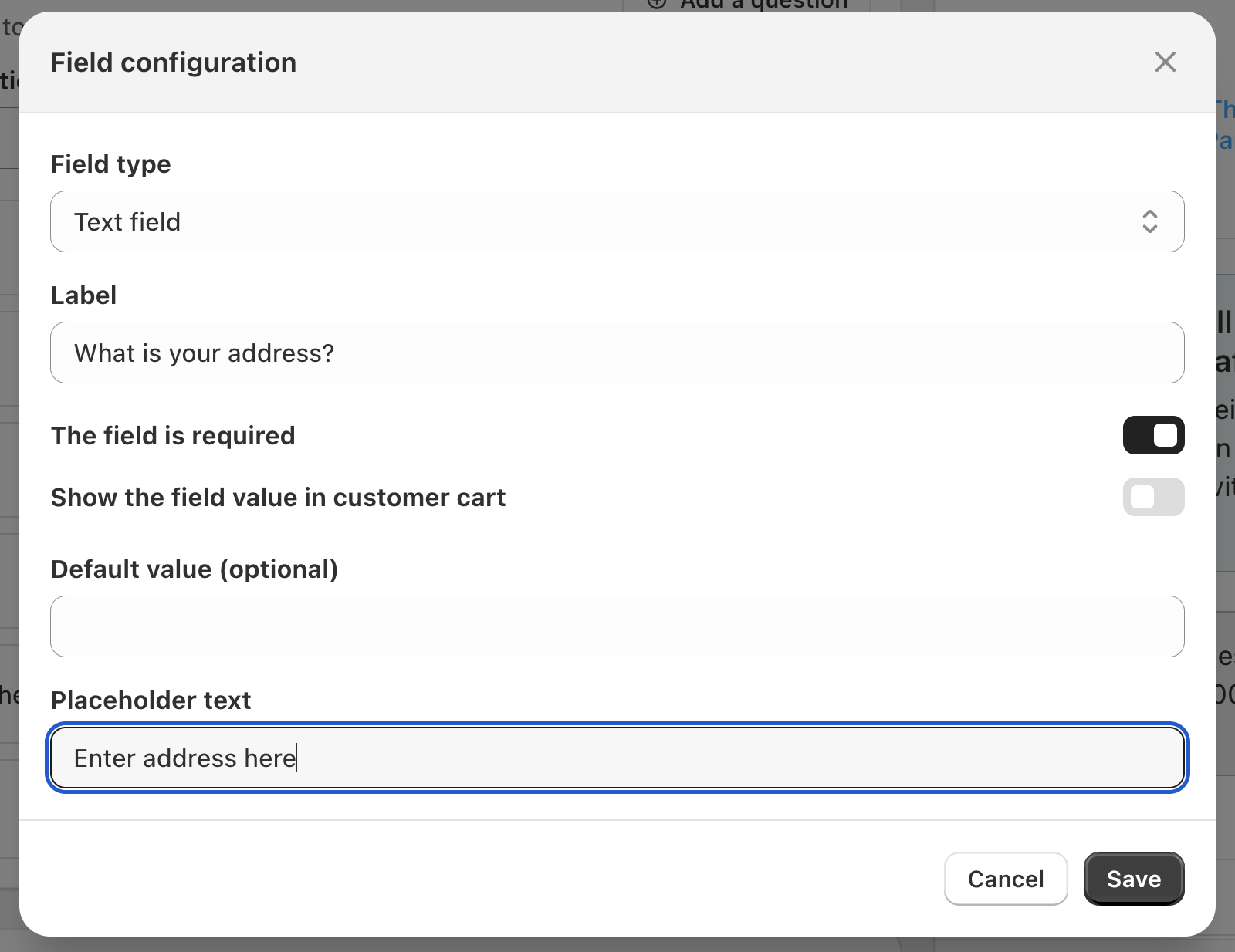
8. Click on **Field type.**
9. Here you will see the **different question types** you can create:
1. **Textfield:** What is your address?
2. **Multiline:** What is the name of each person in this group?
3. **Radio box:** Which of these best describes you?
4. **Checkboxes:** Select all options that you need.
5. **Upload:** Upload a picture of your tattoo reference.
6. **Upsell:** This will adjust where the Upsell block shows up.
1. For example can make the upsell of products show above all questions.
10. **Adjust the custom question** to your liking.
11. Click on **Save.**
12. Click on **Update.**
.png?alt=media&token=a0acf16f-e8f1-4b56-af0e-48bbd1feaca9)
.png?alt=media&token=3e5d91ed-18a4-4424-a865-b29334d15586)
.png?alt=media&token=65c4a4dd-15cf-4d16-ae1b-4f2cb08f8eb7)
.png?alt=media&token=b097636f-66c8-4c87-b3ca-2d2f104c317b)