> For the complete documentation index, see [llms.txt](https://penida.gitbook.io/cowlendar-help/llms.txt). Markdown versions of documentation pages are available by appending `.md` to page URLs; this page is available as [Markdown](https://penida.gitbook.io/cowlendar-help/how-to.../how-to-set-up-recurring-service-subscription-in-cowlendar/use-case-wellness-and-fitness-selling-class-passes-and-monthly-memberships.md).
# Use Case: Wellness & Fitness - Selling Class Passes and Monthly Memberships
#### Why subscriptions are ideal for wellness based businesses
Wellness and physical health services are built around consistency, routine, and long term progress. Whether it is yoga, pilates, massage therapy, or physiotherapy, results come from repeated sessions over time, not from one off bookings.
Subscriptions allow these businesses to move from sporadic appointments to predictable, recurring schedules that benefit both the provider and the customer.
With Cowlendar Subscriptions, wellness professionals can:
* Encourage healthy habits through recurring bookings.
* Reduce no shows and last minute cancellations.
* Secure recurring revenue.
* Give customers flexibility without losing structure.
This makes subscriptions a natural fit for recovery focused and routine based services.
***
### Key benefits for this type of business
#### Predictable revenue and stable schedules
Subscriptions ensure recurring income every billing period, allowing practitioners to better plan their availability and workload.
#### Habit building for customers
By offering credits that renew periodically, customers are encouraged to attend sessions regularly, improving results and satisfaction.
#### Flexibility without chaos
Rollover credits allow customers to skip a week due to travel, recovery, or illness without losing value, while minimum commitments protect the business.
#### Reduced administrative work
Bookings, billing, credits, and usage are handled automatically, eliminating manual follow ups and payment tracking.
***
### Ideal subscription setup for wellness services
Below is an example configuration that works especially well for wellness and physical health businesses.
***
### How to Enable Subscriptions
1. From your **Shopify admin**, go to **Apps**
2. Open **Cowlendar**
3. Go to **My Services**
4. Click **Edit** on your service
5. Make sure the service type is **Regular booking**
6. Go to the **General** tab
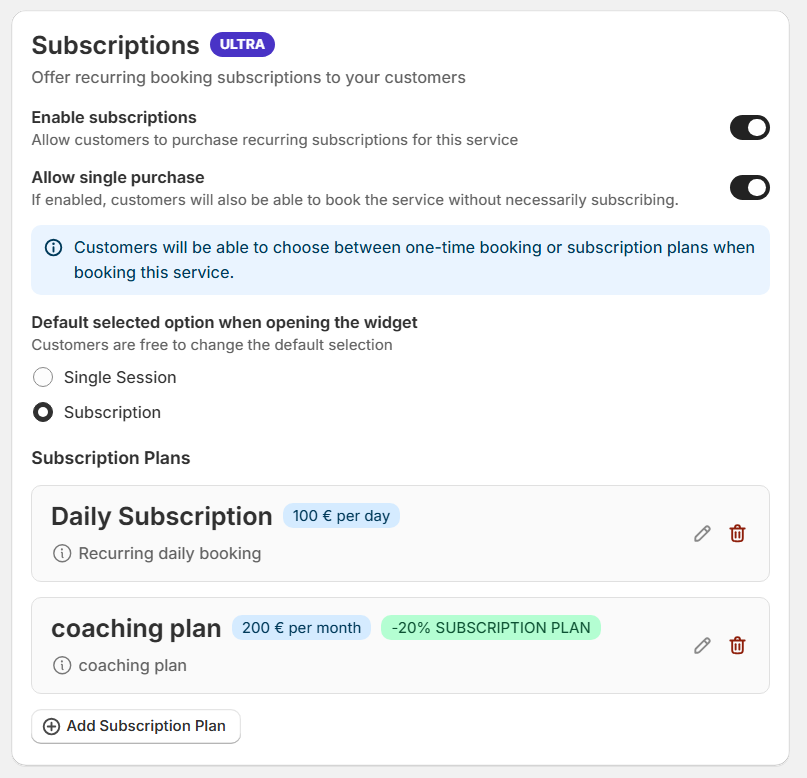
7. Scroll to the bottom and find the **Subscriptions** section
1. Enable **Subscriptions**
2. Create and customize your subscription plans
***
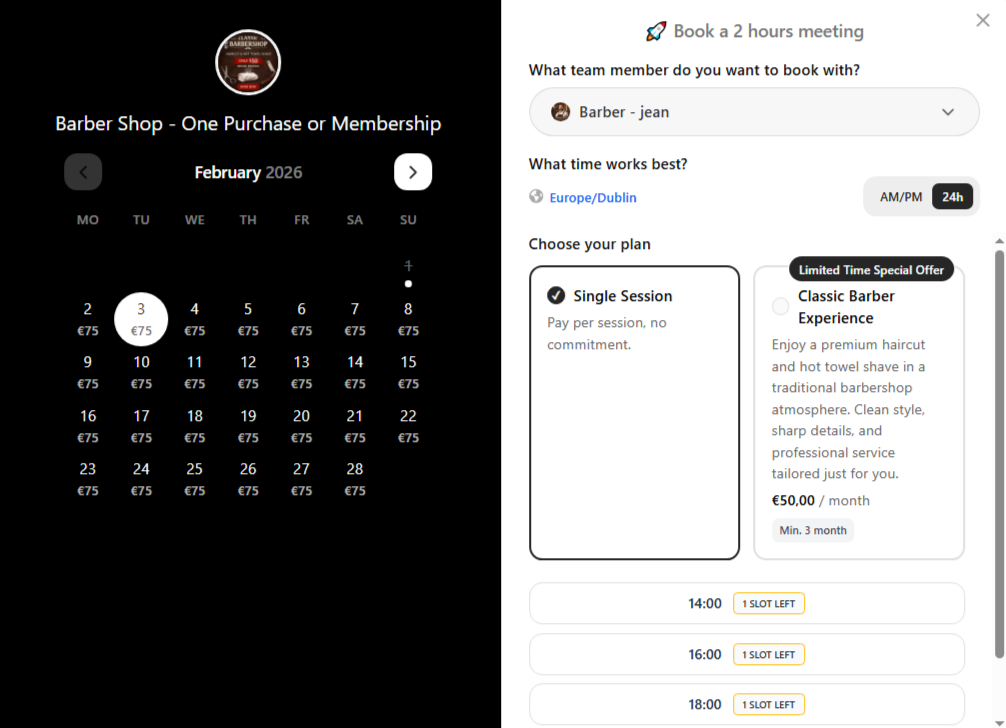
#### Example 1: Barber
**Recommended configuration**
**Credits per period**\
1 credits per month\
1 credit equals 1 class
**Minimum commitment**\
3 billing periods\
This encourages habit formation and gives enough time to see progress.
**Minimum initial bookings**\
1 bookings required on first purchase\
This helps instructors organize class capacity and schedule students early.
**Pause and cancellation**\
Pause allowed for vacations or short breaks\
Cancellation allowed only after the minimum commitment is completed
**Rollover credits**\
Enabled\
Unused credits roll over to the next billing period, ideal for holidays or busy weeks.
**How it works in practice**
A customer subscribes to the monthly barber session and is billed once per month.\
Each month, they receive 1 booking credits.\
They can book up to 1 visit per month or save unused credits for later if rollover is enabled.
This keeps customers engaged while giving them flexibility without breaking the routine.
***
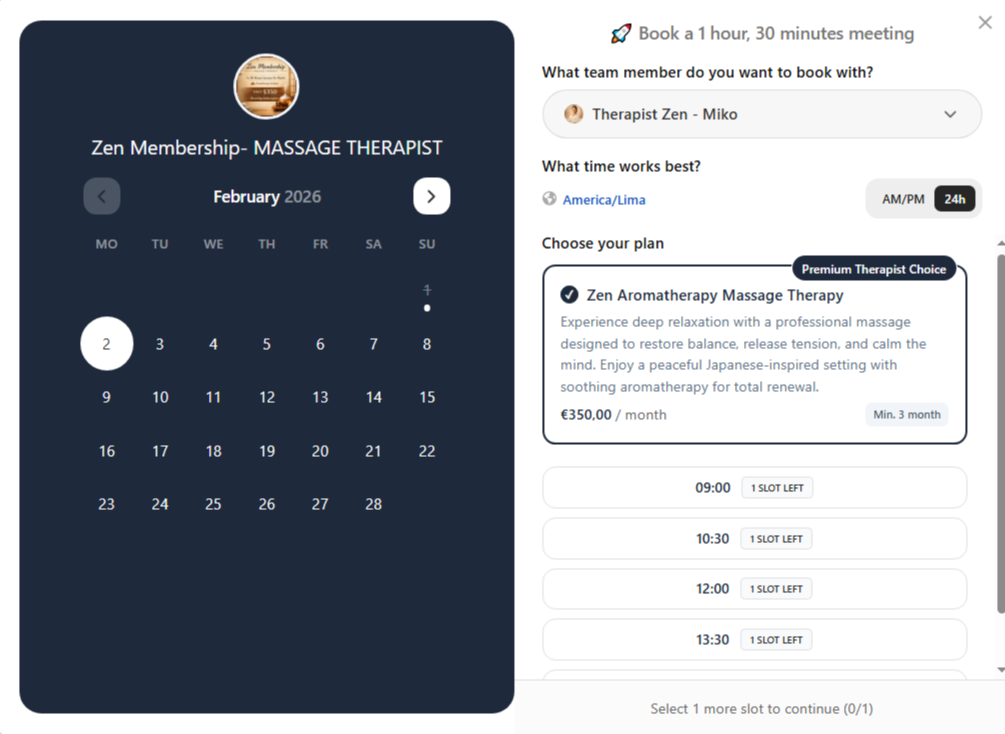
#### Example 2: Massage Therapist or Physiotherapist
**Recommended configuration**
**Credits per period**\
2 credits every two weeks\
Each credit equals one therapy session
**Minimum commitment**\
6 billing periods\
This ensures continuity for recovery or long term treatment plans.
**Minimum initial bookings**\
1 booking required on first purchase\
Allows an initial evaluation or diagnostic session.
**Pause and cancellation**\
Pause allowed for recovery or medical reasons\
Cancellation allowed only after the minimum commitment
**Rollover credits**\
Enabled\
Perfect for cases where sessions must be spaced out due to recovery or medical advice.
**How it works in practice**
A customer subscribes to a therapy plan and is billed every 1 month.\
They receive 2 credits per billing period.\
They can book sessions as needed while keeping unused credits for future recovery stages.
This setup aligns perfectly with massage therapist based services where flexibility and continuity are equally important.
***
### Why this configuration works
This subscription model balances structure and flexibility:
* Minimum commitments protect the business and reduce churn.
* Credits per period guide customers toward consistent usage.
* Rollover avoids frustration from missed sessions.
* Pause options provide empathy and realism for health related services.
Together, these options create a subscription that feels supportive rather than restrictive, increasing retention and long term customer satisfaction.
***
### Final thoughts
For wellness and physical health businesses, subscriptions are not just a pricing model. They are a tool to build routines, improve outcomes, and create long lasting relationships with customers.
Cowlendar Subscriptions give you full control to design plans that support recovery, consistency, and sustainable growth, all while keeping the experience simple for both you and your clients.
.png?alt=media&token=a0acf16f-e8f1-4b56-af0e-48bbd1feaca9)